Batch Pro
One style across a whole set — reviewed photo by photo
Batch Pro keeps the speed of batch editing with a review gate in front of every export, so nothing is shared unchecked.
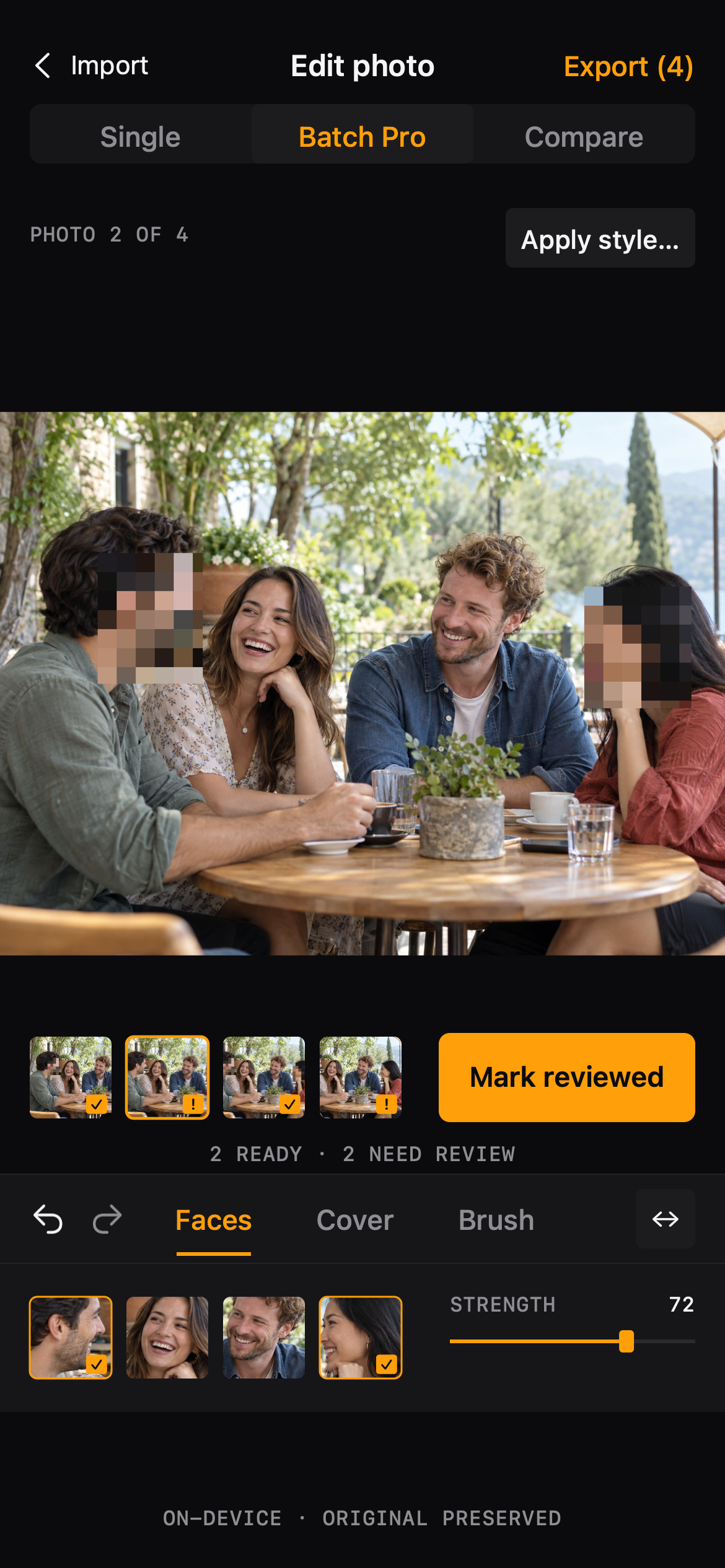
Workflow
Batch Pro
01
Select photos
Import several photos in one go. Each photo keeps its own face selection, painted areas and edit history.
02
Apply the style
Choose which photos receive the current style — one, several, or all of them. Only the effect and its parameters are copied.
03
Review each photo
Photos marked 'needs review' must be checked before export; marking one reviewed moves you to the next.
04
Export the batch
Save everything with your export settings. The result list shows how many copies were saved, with a retry for any failure.
Batch Pro
Made for the photos you actually share
- A photoshoot or event where the same people appear across many pictures
- Cleaning up a set of screenshots before sending them
- Preparing a consistent set of photos for a post or a listing
Batch Pro
Questions, answered plainly
- Batch apply and batch export are part of Blur Photo Pro; single-photo editing stays free.
- Applying a style never copies face selections or brush strokes between photos.
FAQ
Questions, answered plainly
Can I export only the photos I've checked?
Yes. Before export, Blur Photo lists the photos that still need review, and lets you export only the reviewed ones if you prefer.
What happens if one photo fails to save?
Successful copies are kept and listed; the failed photo can be retried on its own without re-saving the rest.
The editor